
Global vetted network delivers high-quality CNC parts to your specs, every time.
Precise custom sheet metal components, advanced techniques, global network.
Cutting-edge rapid prototyping & production, accurate custom parts from digital designs.
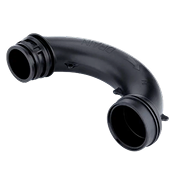
Global network, precise & efficient custom injection molded components, exceptional quality.
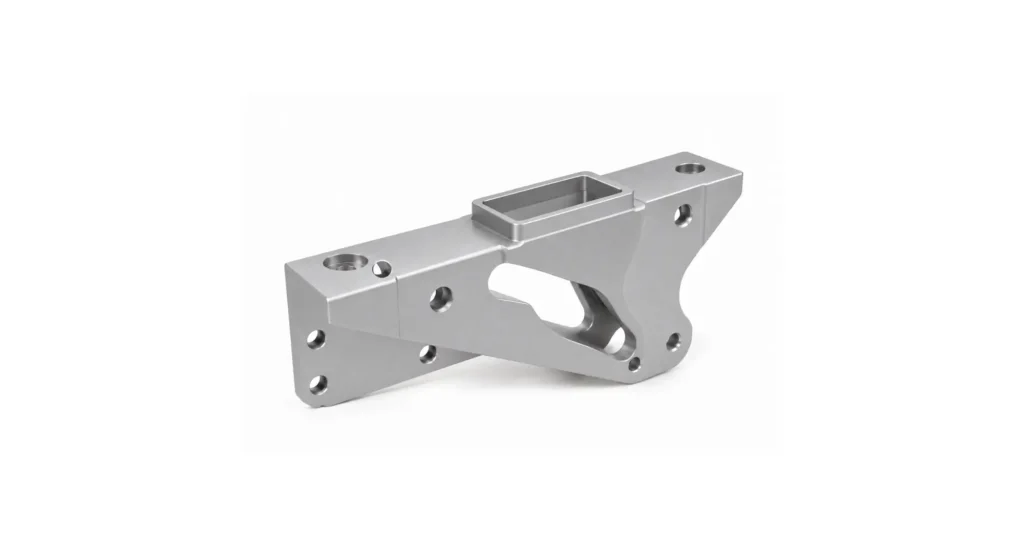
CNC Machining Service
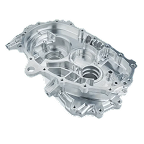
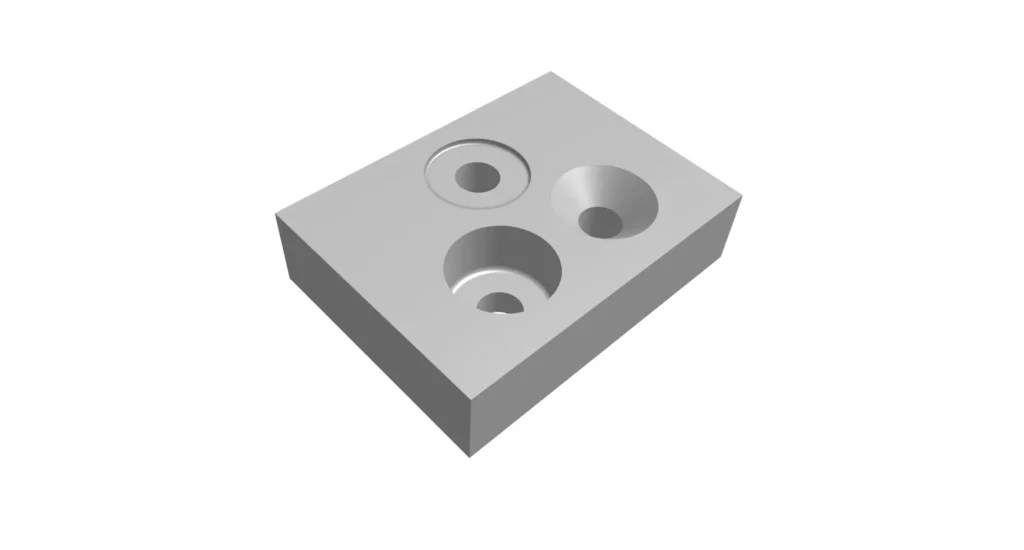
Multi-axis precision milling for complex geometries
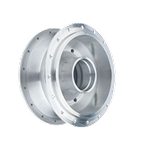
High-accuracy turning for cylindrical components
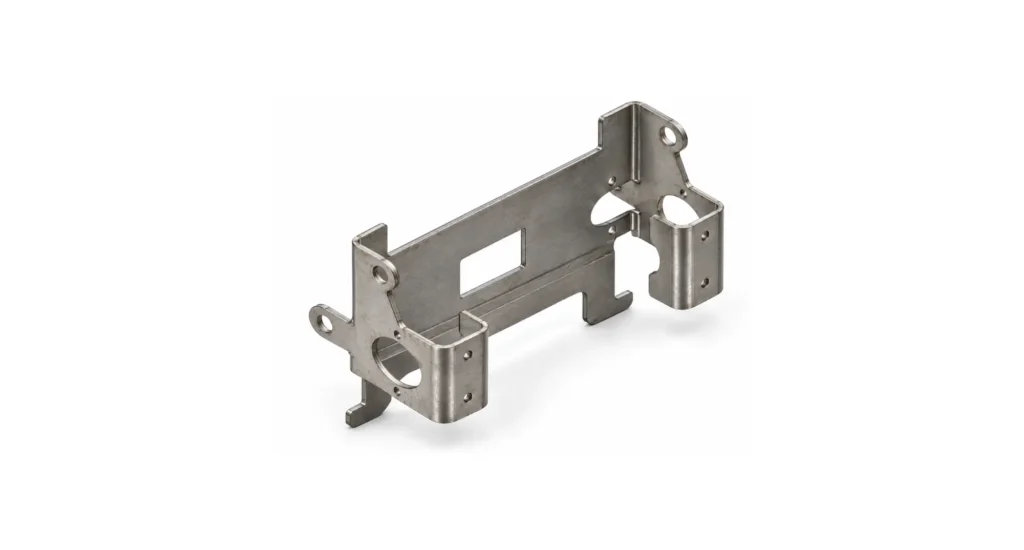
Sheet Metal Service
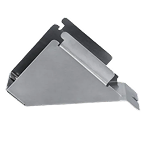
Custom brake-formed profiles, consistent angles
Laser & waterjet cutting for precise contours
3D Printing
Rapid thermoplastic prototypes, fast turnaround

Complex nylon parts, no supports required
Ultra-smooth, high-detail resin models
Production-grade parts, uniform properties
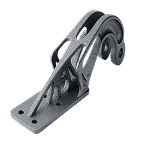
Full-density metal parts, structural integrity
Injection Molding
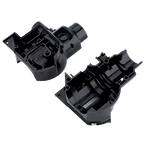
High-volume plastic parts, repeatable precision
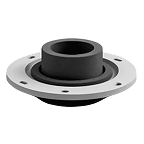
Rigid substrate with soft-touch outer layer

Metal inserts encapsulated for reinforcement
Qualified US network delivering mission-critical parts from prototype to full-rate production.
Custom parts from weekly prototypes through to reliable volume production.
Consistent suppliers, costs that drop every lot, programs that hold.
Upload files. Get quotes. Connect with vetted manufacturers.
Track orders, monitor suppliers, and control revisions – all in one place.
Collaborate on quotes and orders with suppliers and your team.
End-to-end service removing supply chain friction from onboarding to delivery.
Engineering drawing symbols are the lingua Franca of manufacturing. They equip a designer to communicate engineering intent precisely to machinists, fabricators, inspectors, and suppliers anywhere in the world. Whether a part is 5-axis CNC’d in Chicago, welded in Shenzhen, or certification-evaluated in Munich, the symbols on a drawing define exactly what the manufacturer must produce, and what the quality team must verify.
When that precision language is both applied and interpreted coherently, parts will be manufactured in accordance with the design intent. With reproducible precision, assemblies coalesce and function as intended, and products reach market without iterations, waste, and delays. When symbols are misunderstood by designer or executor, the consequences can include scrap, rework, assembly failures, supplier disputes, redesigns, and costly and ill-targeted inspection processes.
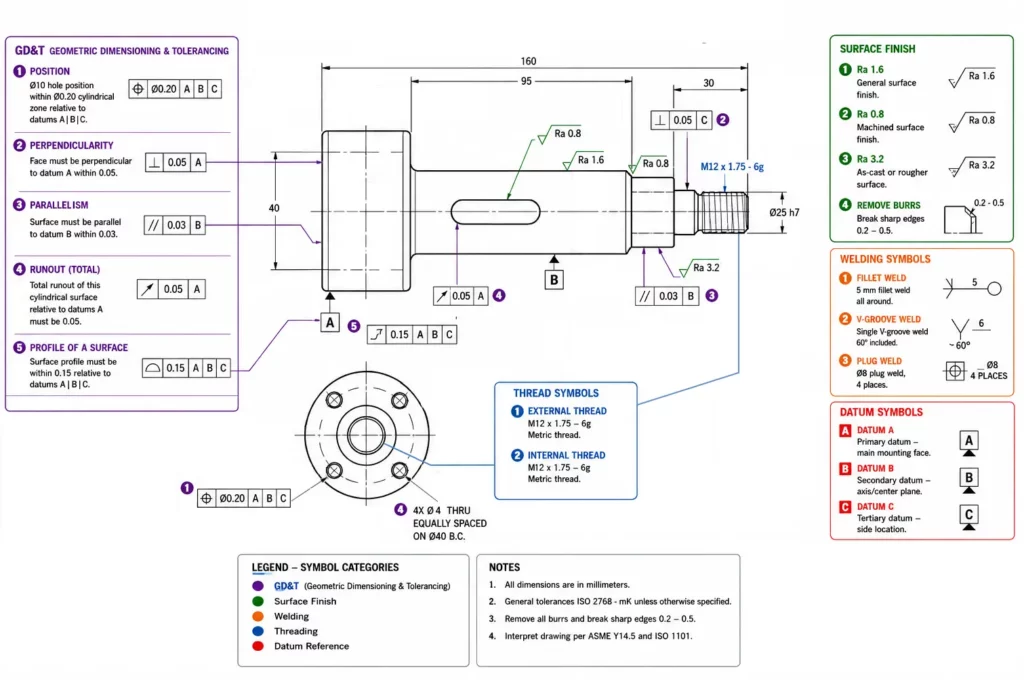
Engineering drawing symbols cover far more than simple dimensions. They communicate geometric tolerances, surface texture requirements, welding instructions, hole specifications, datum references, material conditions, inspection criteria, manufacturer methods, and more. The depth of communication and effectiveness of drawings is governed by formal standards – ASME Y14.5-2018, ISO 128, and ISO 1302. These internationally recognized authorities ensure that the meaning of every symbol remains consistently clear and unambiguous for all.
This guide explains the most important engineering drawing symbols used in manufacturing, with a close focus on the meaning of those symbols to machinists, inspectors, and suppliers. Rather than simply defining each symbol, we will examine how influences from the symbols flow outward into manufacturing methods, measurement techniques, inspection costs, and overall part quality.
Engineering drawing symbols are standardized graphical notations used on annotated component-drawings, to communicate dimensions, geometric requirements, tolerances, surface conditions, manufacturing instructions, material specifications, applicable standards, process requirements, and inspection criteria.
The hazard in relying primarily on written notes is divergent language skills and ambiguity of meaning, even within a common language. Symbols provide the semiotics for a universally clear shorthand.
For example, a simple diameter symbol instantly communicates that a dimension applies to a circular feature, while a GD&T position symbol communicates a complex tolerance zone relationship that might otherwise require multi-sentence explanation.
Engineering drawings combine multiple symbol categories:
Together these symbols form a complete manufacturing specification.
Natural language is inherently ambiguous. An instruction such as “make this surface smooth” provides little useful information to a machinist or inspector. By contrast, specifying a surface finish of Ra 0.8 μm communicates an exact measurable requirement, particulary when coupled with additional information about lay, waviness, and assessment method.
Engineering symbols eliminate interpretational variability throughout the manufacturing chain. Designers, machinists, quality inspectors, and suppliers can all use the same reference standard and definitions.
A supplier in one country may never speak directly with the engineer who created the drawing. Symbols provide a common language that transcends geography and language barriers.
Symbols define the methodology of how a part is to be manufactured. Without this clarity of specification, dimensional, tolerance, positioning, and characteristic variation increases, and assembly performance becomes less tightly predictable.
Inspection personnel rely on symbols to determine the features that require measurement, the precision required, and by extension the instruments that must be used in assessing a part.
A flatness requirement of 0.02 mm may require a granite surface plate and dial indicator height-gauge, while a positional tolerance of 0.01 mm will likely require a coordinate measuring machine (CMM).
Engineering drawing symbols are governed by rigid standards. Understanding which standard applies to a drawing element and aspect under its control is essential, because symbol interpretation diverges, often in intricate ways, between standards.
The title block should always be reviewed before interpreting dimensions or tolerances, to calibrate the reader’s understanding of the symbols.
ASME Y14.5 is the dominant GD&T standard used throughout North America, and therefore also well understood by anyone in the manufacturing supply chain that acts as service provider to US companies.
It defines:
U.S. aerospace, defense, automotive, and industrial manufacturers adhere to ASME Y14.5.
ISO drawings commonly rely on:
Although many symbols are similar to ASME equivalents, differences exist in interpretation and notation.
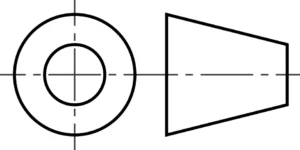
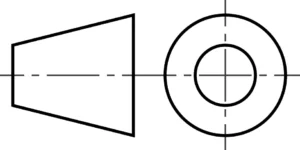
One of the most important drawing symbols announces the projection system used in creating drawing layouts. First and Third Angle Projection use opposing spatial logic; third angle can be considered as “look through”, and first angle as “look at”, and understanding which a drawing is based on flows directly from the symbol. These systems must never be mixed in a drawing, as this can cause a reversal of features in the ambiguity of interpretation that results.
Note that there is no standard size for these symbols, and they can both be used in any orthogonal orientation, for identical meaning.
Common in:
Common in:
Misinterpreting projection methods can result in features being manufactured on the wrong side of a component, or mirrored.
GD&T designates allowable geometric variations in manufactured parts.
Unlike more basic plus/minus tolerancing, GD&T controls functional relationships between features according to preset ranges/parameters.
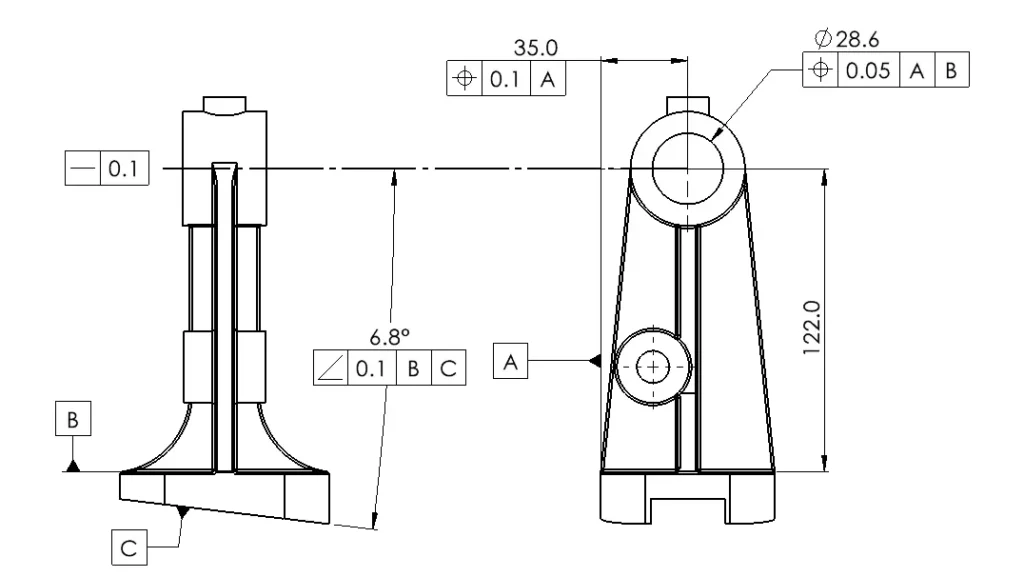
Central to GD&T is the Feature Control Frame.
Datums establish the coordinate reference basis used for manufacturing and inspection. The reference frame is critical, as it defines all of the relationships that flow from it. Over-referencing can create interpretation difficulties, where under-referencing can undermine the desired precision by missing critical aspects.
Controls three degrees of freedom. A primary datum plane constrains three degrees of freedom: translation perpendicular to the plane and rotation about two axes lying within the plane. The part can no longer move relative to the surface or rock on two orthogonal planes, establishing a stable reference.
Controls two additional degrees of freedom. A secondary datum constrains: translation along one axis within the primary datum plane and rotation about the axis perpendicular to both datums. The part can no longer slide in that direction or rotate around the primary datum.
A tertiary datum constrains the final remaining degree of freedom: translation along the last unconstrained axis. With the primary, secondary, and tertiary datums established, the part is fully located in space and all six degrees of freedom (translation x 3 and rotation x 3) are constrained.
Effective datum selection often determines whether a part can be manufactured reliably/precisely and then inspected economically. Hard to use datums can greatly increase the cost of inspection by requiring significant upgrade in equipment for QA.
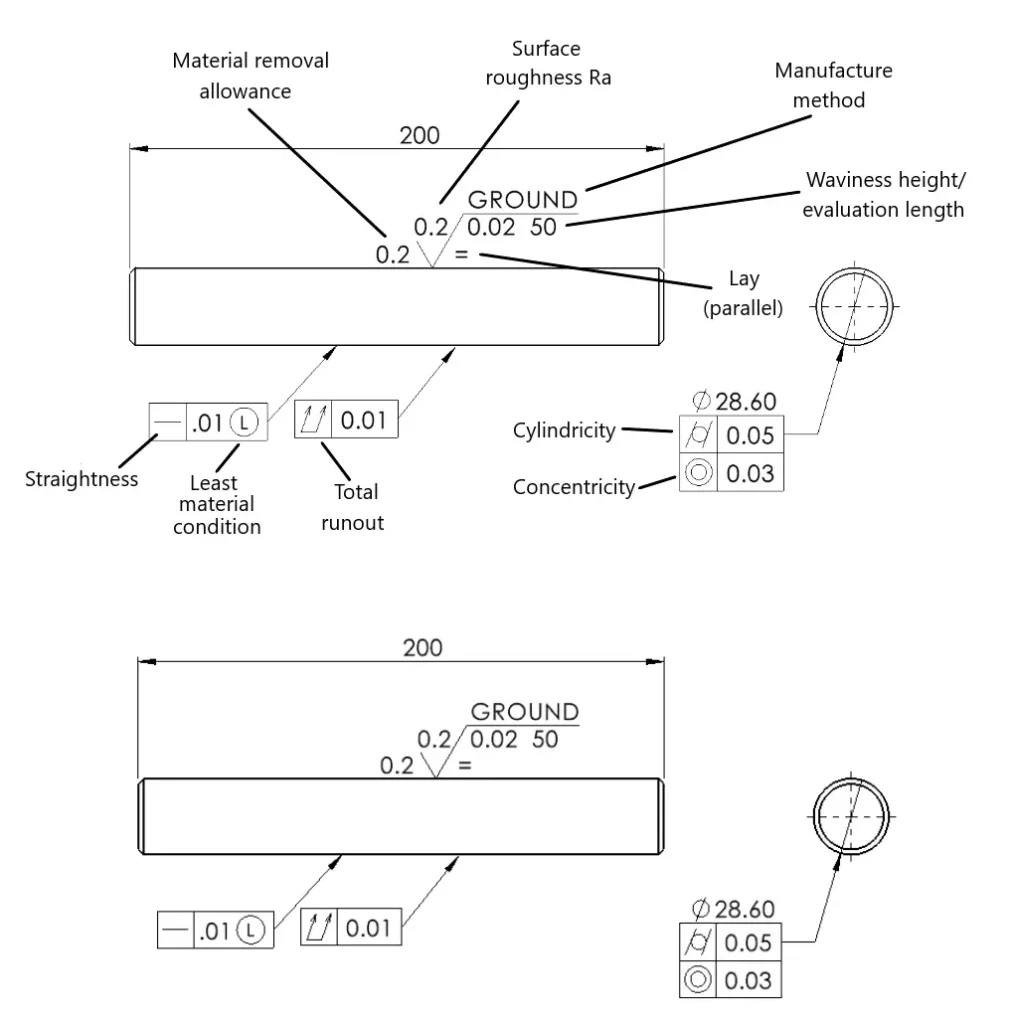
Form controls define the shape of a single feature without reference to datums. While a piece of ground stainless steel shaft for a linear guide is a simple component, it can require considerable information to ensure it meets the required standards in all regards
Controls how straight a feature must be.
Common applications:
Controls how flat a surface must be.
No datum reference is required.
Common applications:
Controls variation in surface height over a sampling length.
No datum reference is required.
Common applications:
Controls roundness of circular features.
Frequently applied to:
Controls the overall cylindrical form.
Common in:
Controls the orientation of surface features remaining after machining/finishing.
Common applications and types:
Profile tolerances control complex surfaces.
Common applications:
Orientation controls define angular relationships relative to datums.
Controls 90° relationships.
Common examples:
Controls parallel relationships.
Common examples:
Controls any specified angle relative to a datum.
Often used where exact angular relationships affect assembly performance.
Location controls define where features must be positioned.
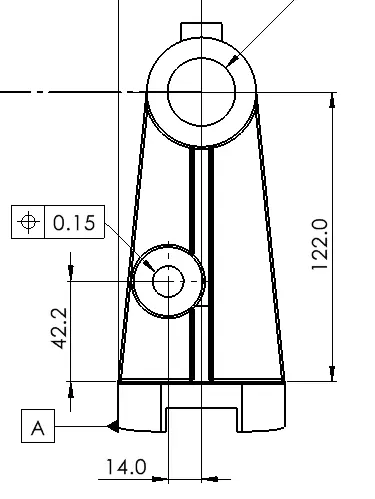
Position is the most widely used GD&T control.
It defines a tolerance zone around the true location of a feature.
Typical applications:
True position is often misunderstood as simply an X-Y tolerance.
In reality, it creates a cylindrical tolerance zone that provides significantly better control of feature functionality.
This allows manufacturers more flexibility while assuring component performance.
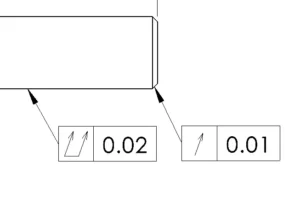
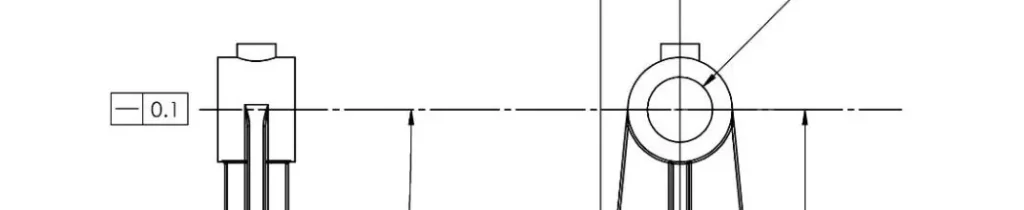
Runout controls are used primarily on rotating components where concentricity, balance, and smooth operation are critical.
Circular runout controls variation in a single circular cross-section as the part rotates around its datum axis.
Common applications:
A circular runout tolerance helps ensure smooth rotation and reduces vibration.
Total runout controls variation across the entire surface of a rotating feature.
Unlike circular runout, which evaluates individual sections, total runout evaluates the complete surface simultaneously.
Common applications:
Total runout is typically more difficult and expensive to inspect and often requires specialized metrology equipment.
Dimension symbols communicate measurement types quickly and consistently.
Misinterpreting these symbols frequently results in incorrectly manufactured features.
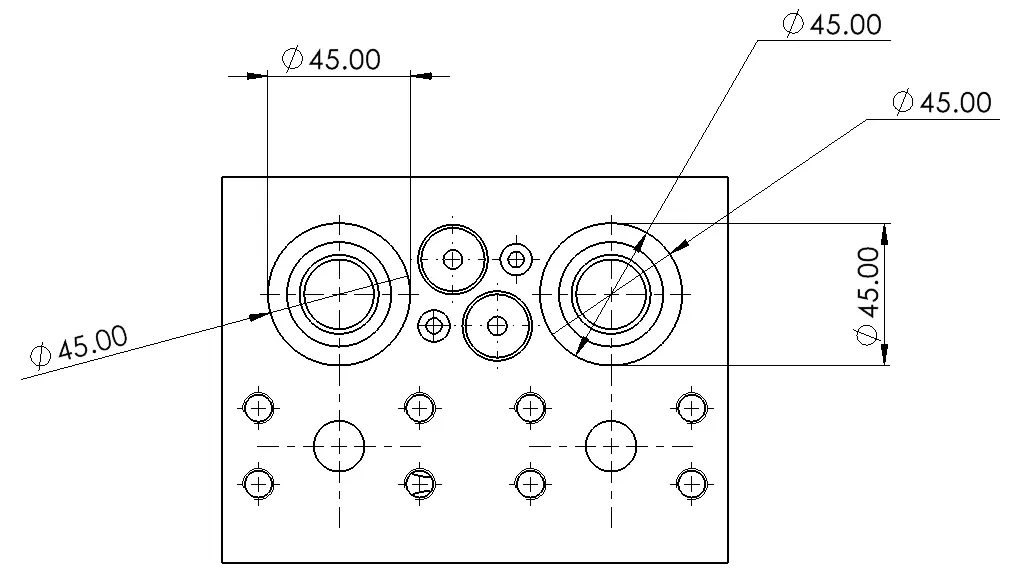
Indicates a circular feature’s diameter.
One of the most common drawing mistakes is reading a diameter dimension as a radius requirement.
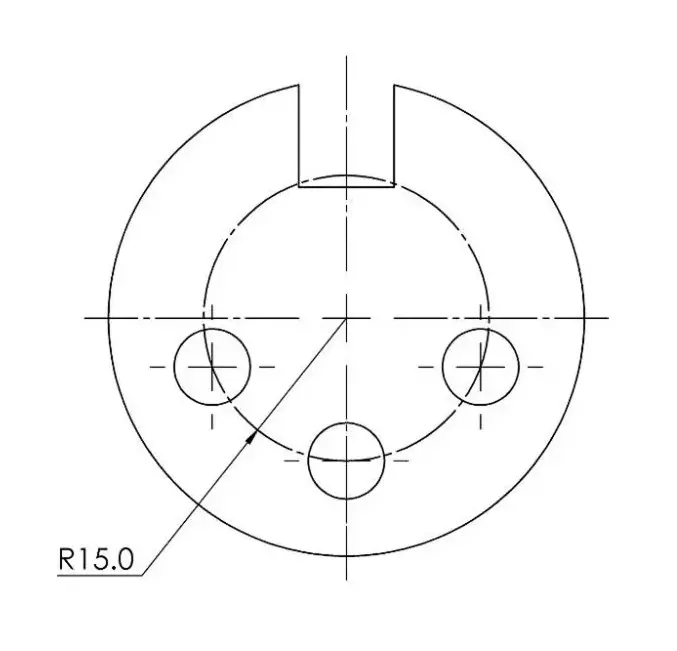
Defines the radius of an arc or curved feature. In this example, it defines the radius of a pitch circle on which three drilled holes lie.
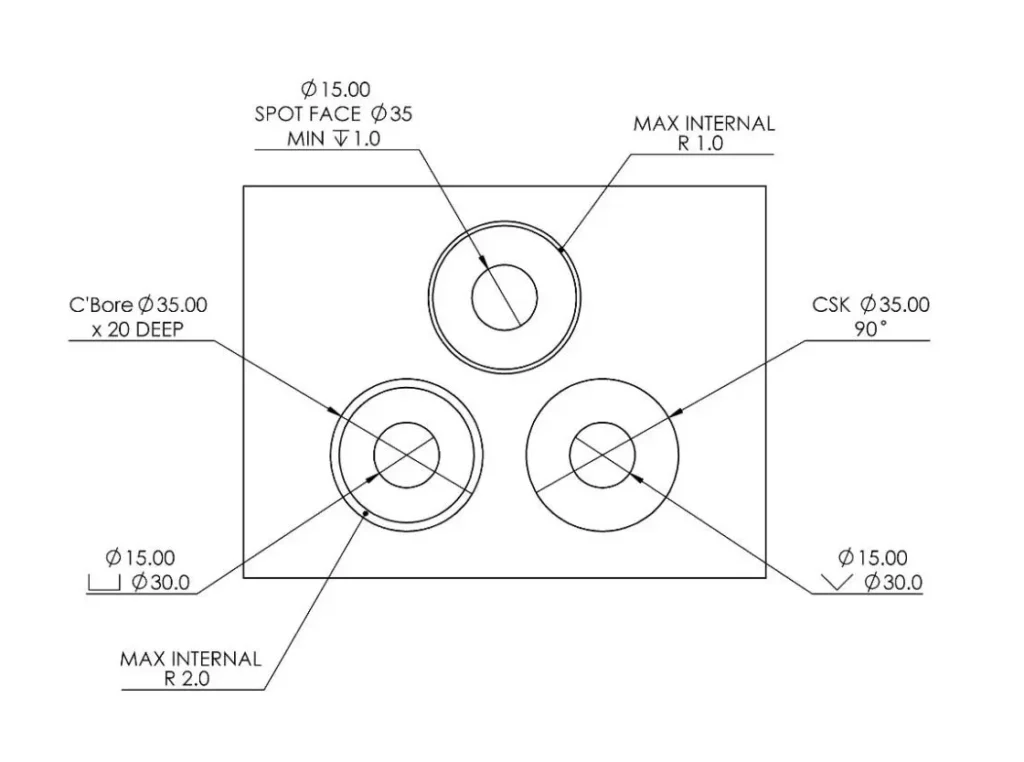
Used to indicate the depth of drilled, bored, or machined features.
Example:
Ø30 × 20 DEEP
Meaning:
30 mm diameter hole extending 20 mm into the part.
Counterbores create flat-bottomed recesses for bolt heads or fasteners.
Common callout:
Ø12 C’BORE Ø20 × 5 DEEP
Frequently used with socket-head cap screws.
Countersinks create conical recesses.
Example:
Ø10 C’SINK 90°
Used for flat-head screws.
A shallow machining operation that creates a flat seating surface.
Commonly used on castings and forgings where bolt heads or washers require a stable bearing surface.
Surface finish symbols communicate allowable surface texture and often have significant manufacturing cost implications.
Many engineers underestimate how dramatically surface finish requirements influence process selection, cycle time, and inspection costs.
A sealing face specified at Ra 0.4 μm may require grinding or lapping, while a general machined surface specified at Ra 3.2 μm may be achievable through standard milling operations.
Surface roughness is typically specified using Ra.
Common values:
| Surface Finish | Typical Process |
|---|---|
| Ra 12.5 µm | Rough machining |
| Ra 6.3 µm | Standard machining |
| Ra 3.2 µm | Finish machining |
| Ra 1.6 µm | Fine machining |
| Ra 0.8 µm | Grinding |
| Ra 0.4 µm | Lapping/Superfinishing |
Rz
Measures average peak-to-valley height.
Widely used throughout Europe and many ISO-based industries.
Rt
Measures total profile height.
Common in sealing applications.
Waviness
Controls larger-scale surface variation beyond roughness.
Important in precision sealing and optical applications.
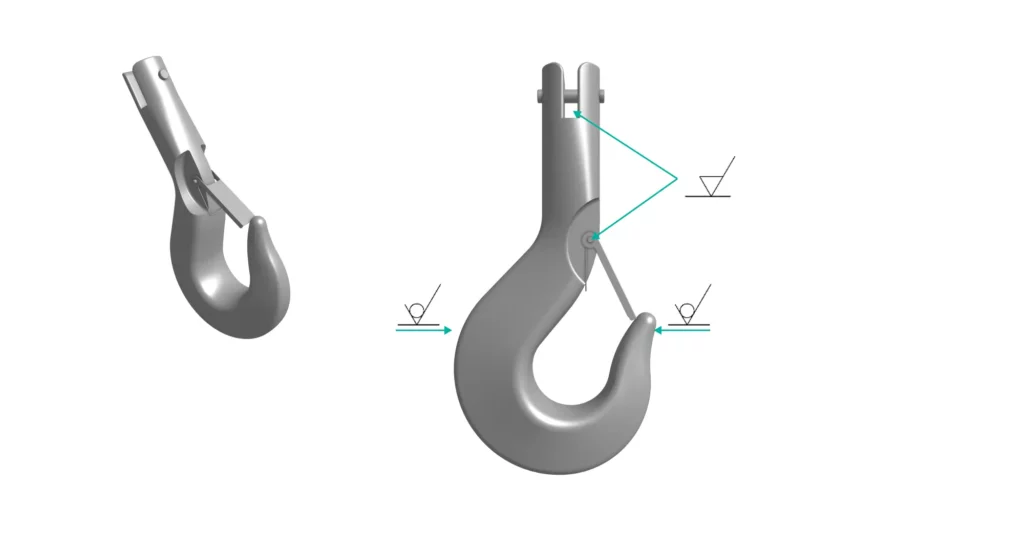
A bar added to the surface finish symbol indicates material removal is required.
This typically means:
must be performed.
A circle added to the symbol indicates material removal is prohibited.
Common applications:
Surface finish is one of the most commonly over-specified drawing requirements.
Reducing a requirement from Ra 0.8 μm to Ra 3.2 μm can significantly lower machining costs without affecting part function, if the application does not require a highly finished surface.
Line types are not stylistic choices. Each line type carries a specific meaning.
Misreading a line type can result in hidden features being overlooked or incorrectly manufactured.
Thick continuous lines representing visible edges.
These define the geometry that can be directly seen in the drawing view.
Short dashed lines representing obscured features.
Examples:
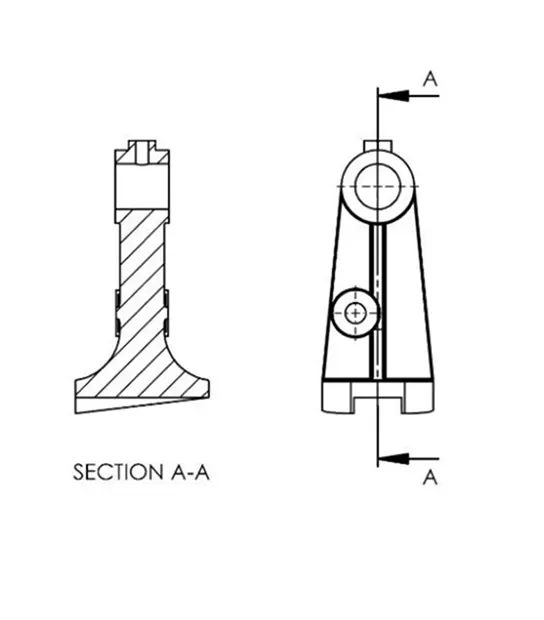
Used to indicate where a sectional view has been taken.
Critical for understanding internal geometry.
Long-short-long chain lines representing:
Centerlines often become datum references during manufacturing and inspection.
Many industries introduce specialized symbol sets beyond standard mechanical drawings.
Welding symbols communicate:
Common examples:
Incorrect interpretation can compromise structural integrity.
Thread callouts are among the most common manufacturing symbols.
Examples:
Thread designation defines both diameter and pitch.
Electrical drawings introduce symbols representing:
These differ significantly from mechanical drawing conventions.
Process and Instrumentation Diagrams use symbols representing:
Common in chemical processing, energy, and oil and gas industries.
Many manufacturing disputes originate from symbol interpretation rather than machining errors.
Position tolerances create geometric tolerance zones rather than simple X-Y variation limits.
Flatness controls surface form only.
It does not require a datum.
Profile controls surface shape.
It does not directly control feature size.
Counterbores are cylindrical.
Countersinks are conical.
Confusing the two often results in unusable parts.
Surface finish symbols specify measurable roughness requirements rather than cosmetic appearance.
Different symbols require different inspection methods.
| Characteristic | Typical Inspection Method |
|---|---|
| Size Dimensions | Caliper, Micrometer |
| Flatness | Surface Plate, Indicator |
| Position | CMM |
| Surface Finish | Profilometer |
| Circularity | Roundness Tester |
| Runout | Indicator Fixture |
| Profile | CMM |
One of the most common causes of supplier frustration is specifying tolerances that require expensive inspection equipment without recognizing the associated cost impact.
Even when every dimension is within tolerance, assemblies may fail due to cumulative variation.
Assumes every dimension reaches its maximum allowable variation simultaneously.
Uses probability-based calculations to predict likely variation.
Engineers should evaluate stack-up whenever multiple dimensions contribute to a functional assembly relationship.
Reading a drawing should follow a systematic process.
Jumping directly to dimensions often leads to incorrect interpretation.
Review:
Always verify revision status before manufacturing.
Confirm whether the drawing uses:
before interpreting views.
Identify the primary, secondary, and tertiary datums.
Understanding the datum structure often explains how the part is intended to function.
Identify:
before beginning manufacturing.
Determine whether specified tolerances can be measured using available equipment.
This step alone can prevent costly quality disputes.
| Abbreviation | Meaning |
|---|---|
| DIA | Diameter |
| RAD | Radius |
| THRU | Through |
| TYP | Typical |
| REF | Reference |
| C'BORE | Counterbore |
| C'SINK or CSK | Countersink |
| DEEP | Depth |
| MAX | Maximum |
| MIN | Minimum |
| CL | Centerline |
| PCD | Pitch Circle Diameter |
| NTS | Not To Scale |
Engineering drawing symbols transform design intent into manufacturable reality. They provide the standardized language that connects engineers, machinists, inspectors, and suppliers throughout the manufacturing process.
Understanding symbols requires more than memorizing definitions. Engineers must understand what each symbol means for manufacturing, inspection, cost, and functionality. A flatness tolerance influences inspection strategy. A surface finish callout influences process selection. A position tolerance influences fixture design and metrology requirements.
The most successful manufacturing projects occur when engineers and suppliers interpret drawings consistently and communicate early about potentially ambiguous requirements. Reviewing GD&T callouts, surface finish specifications, datum structures, and inspection methods before production begins reduces risk, prevents tolerance disputes, and helps ensure parts arrive right the first time.
ASME and ISO standards share many concepts but differ in notation, projection methods, and some GD&T interpretations. Always verify which standard governs the 9drawing before interpreting symbols.
Common mistakes include missing datum references, over-constraining features, specifying unnecessarily tight tolerances, and applying position tolerances without understanding functional requirements.
Many tolerance issues originate from ambiguous drawings, incomplete datum structures, unrealistic tolerances, or stack-up problems rather than poor machining.
No. Tighter tolerances increase manufacturing and inspection costs and may not improve functionality. Tolerances should reflect actual design requirements.
Confirm the revision level, units, projection system, governing standard, material specification, and scale before interpreting any dimensions or tolerances.